
2026 में फेसबुक अकाउंट कैसे पुनर्स्थापित करें: व्यक्तिगत प्रोफाइल, पेज और विज्ञापनों के लिए व्यावहारिक गाइड
मेटा शीर्षक: 2026 में फेसबुक अकाउंट को अनलॉक कैसे करें: कारण, अपील, और रिकवरी
मेटा विवरण: एक ब्लॉक किए गए फेसबुक अकाउंट, विज्ञापन खाते, या बिजनेस मैनेजर को रिकवर करने के लिए चरण-दर-चरण गाइड: कारण, अपील प्रक्रिया, दस्तावेज़, गलतियाँ, और रोकथाम।
कीवर्ड: फेसबुक अकाउंट अनलॉक करें, फेसबुक अकाउंट अक्षम, फेसबुक अपील, फेसबुक अकाउंट पुनर्प्राप्त करें, फेसबुक विज्ञापन खाता अक्षम, मेटा बिजनेस सपोर्ट होम

परिचय
फेसबुक अकाउंट का ब्लॉक होना शायद ही कभी "बिना कारण" होता है। अधिकांश मामलों में, सिस्टम संदिग्ध गतिविधि, नीति उल्लंघन, सुरक्षा जोखिम, या विज्ञापन संबंधी समस्याओं का पता लगाता है।
कुंजी यह है कि घबराएं नहीं या नए खाते बनाएँ नहीं, बल्कि समस्या की सही पहचान करें और आधिकारिक मेटा रिकवरी पथ का पालन करें।
2026 में, मेटा भरोसे के संकेतों पर बहुत अधिक निर्भर करता है: डिवाइस का इतिहास, भुगतान व्यवहार, प्रोफ़ाइल की प्रामाणिकता, और खाते की गतिविधि के पैटर्न। इसीलिए खाते को वापस पाने का मतलब शॉर्टकट नहीं है — इसका मतलब है सही निदान और संरचित कार्रवाई।
चरण 1: प्रतिबंध का प्रकार पहचानें
अपील जमा करने से पहले, आपको यह समझना होगा कि वास्तव में क्या हुआ था।
1. अक्षम व्यक्तिगत खाता
यह सबसे गंभीर मामला है। आप लॉग इन नहीं कर सकते, और खाता नीति उल्लंघनों, पहचान संबंधी समस्याओं, या संदिग्ध व्यवहार के कारण निलंबित या अक्षम कर दिया गया है।
2. अस्थायी प्रतिबंध
फेसबुक कुछ क्रियाओं को सीमित करता है: अजनबियों को संदेश भेजना, टिप्पणी करना, पोस्ट करना या विज्ञापन देना। यह आमतौर पर असामान्य या अत्यधिक गतिविधि के बाद होता है।
3. विज्ञापन खाते या व्यवसाय प्रबंधक प्रतिबंध
आपकी प्रोफ़ाइल सामान्य रूप से काम कर सकती है, लेकिन विज्ञापन, पेज, या व्यावसायिक संपत्तियों पर प्रतिबंध लगा दिया गया है।
4. हैक किया गया खाता
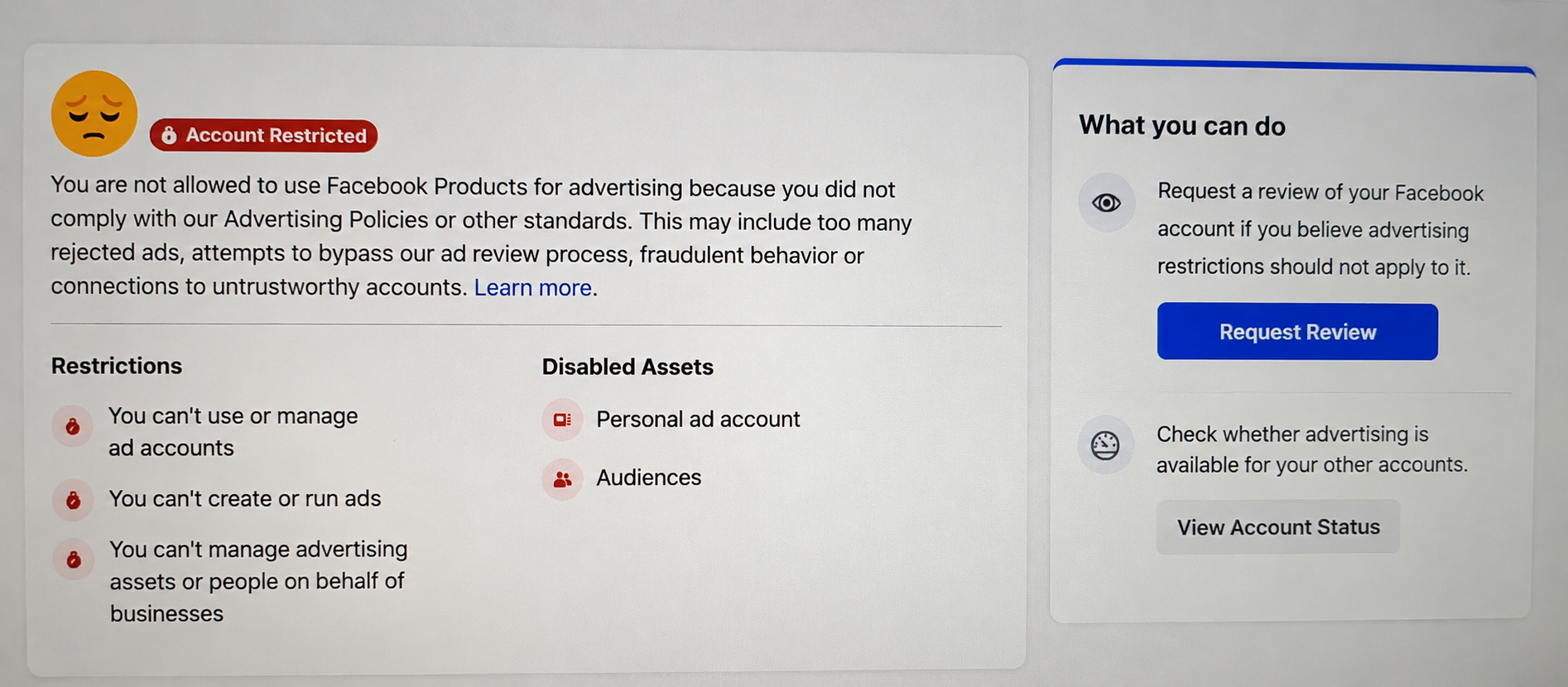
यदि लॉगिन विवरण, ईमेल, या फोन नंबर बदल गया है — तो यह प्रतिबंध नहीं है, बल्कि एक सुरक्षा उल्लंघन है।
चरण 2: फेसबुक खाते क्यों ब्लॉक करता है
नकली पहचान के संकेत
कोई इतिहास न होने वाली नई या अधूरी प्रोफाइलें अक्सर संदिग्ध के रूप में चिह्नित की जाती हैं।
अचानक व्यवहार में बदलाव
उदाहरण: निष्क्रिय खाता अचानक किसी नए देश से लॉग इन करता है और विज्ञापन करना शुरू कर देता है।
विज्ञापन उल्लंघन
इसमें भ्रामक विज्ञापन, प्रतिबंधित उत्पाद, नीति उल्लंघन, या लैंडिंग पेज संबंधी समस्याएँ शामिल हैं।
सुरक्षा ट्रिगर
असामान्य लॉगिन प्रयास, डिवाइस परिवर्तन, या संदिग्ध गतिविधि पैटर्न।
चरण 3: ब्लॉक के बाद पहली कार्रवाइयाँ (पहले 15 मिनट)
- संदेश का स्क्रीनशॉट लें
- Meta से ईमेल सूचनाएँ जांचें
- किसी विश्वसनीय डिवाइस से लॉग इन करने का प्रयास करें
- बार-बार पासवर्ड न बदलें
- नया खाता न बनाएं
- जाँचें कि "समीक्षा का अनुरोध करें" या "अपील करें" उपलब्ध है या नहीं
- यदि हैक हो गया है — पहले रिकवरी फ्लो शुरू करें
चरण 4: निष्क्रिय फेसबुक खाते के लिए अपील कैसे करें
Meta आमतौर पर लॉगिन प्रयासों के तुरंत बाद एक अपील फॉर्म प्रदान करता है।
आपको क्या चाहिए हो सकता है:
- पूरा नाम मेल खाने वाली प्रोफ़ाइल
- ईमेल या फोन तक पहुंच
- पहचान सत्यापन दस्तावेज़
- समस्या की संक्षिप्त व्याख्या
अपील के लिए उदाहरण पाठ:
नमस्ते, मेरा खाता अक्षम कर दिया गया है और मुझे विश्वास है कि यह एक गलती थी। यह खाता मेरा है, और मैं आवश्यकता पड़ने पर अपनी पहचान सत्यापित करने के लिए तैयार हूँ। यदि यह संदिग्ध गतिविधि के कारण हुआ है, तो कृपया अनधिकृत पहुँच की जाँच करें। मैं कोई भी आवश्यक जानकारी प्रदान करने के लिए तैयार हूँ।
इसे संक्षिप्त, तथ्यात्मक और शांत रखें।
चरण 5: विज्ञापन खाते या व्यवसाय प्रबंधक प्रतिबंध
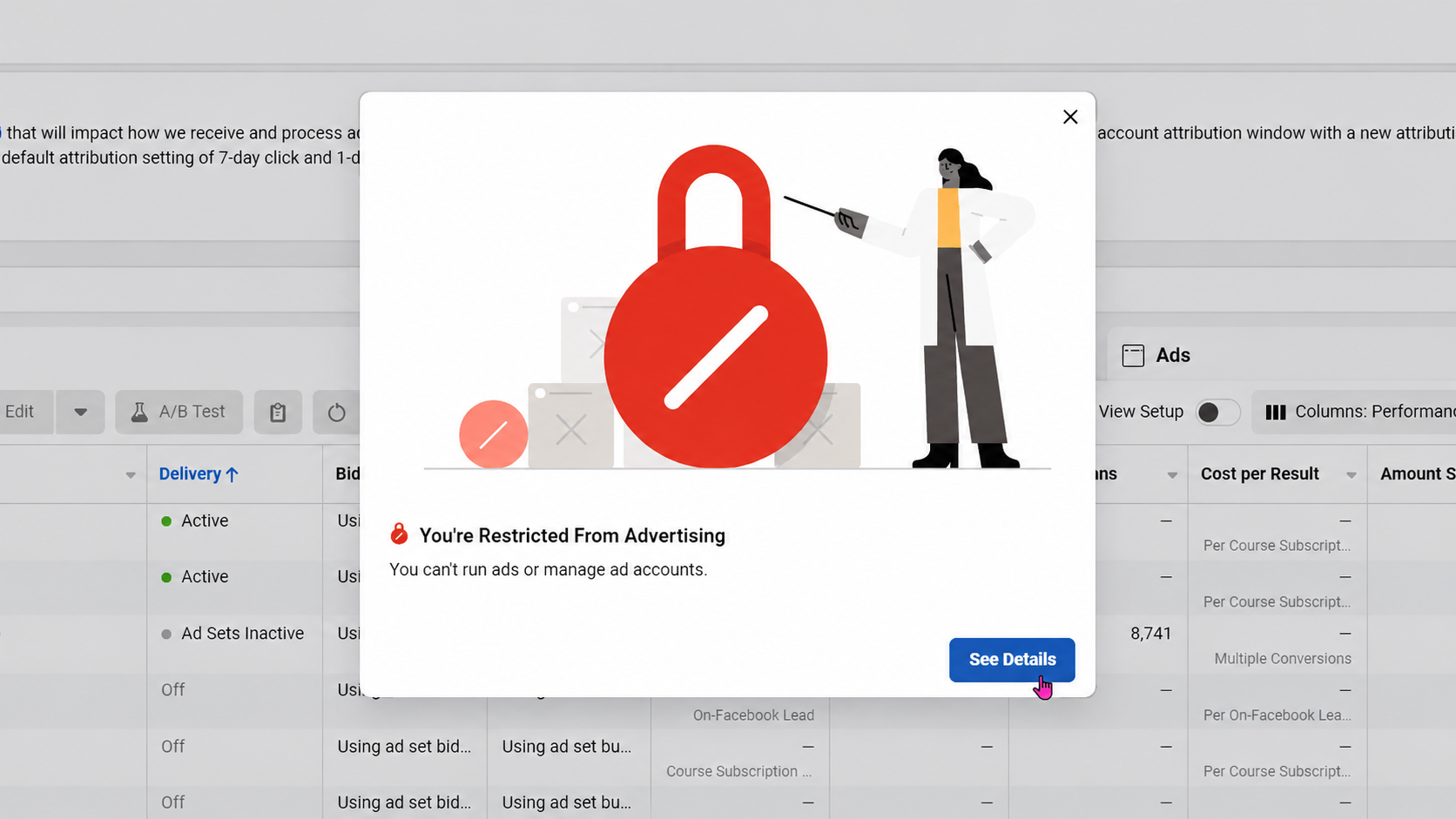
कभी-कभी प्रोफ़ाइल ठीक होती है, लेकिन विज्ञापन उपकरण प्रतिबंधित होते हैं।
जाँचें:
- खाते की गुणवत्ता
- मेटा बिजनेस सपोर्ट होम
- विज्ञापन खाते की स्थिति
- पृष्ठ स्थिति
- भुगतान संबंधी समस्याएँ
- नीति उल्लंघन
कैसे कार्य करें:
सबसे पहले सटीक प्रतिबंधित संपत्ति खोजें। फिर, यदि उपलब्ध हो तो समीक्षा अनुरोध जमा करें।
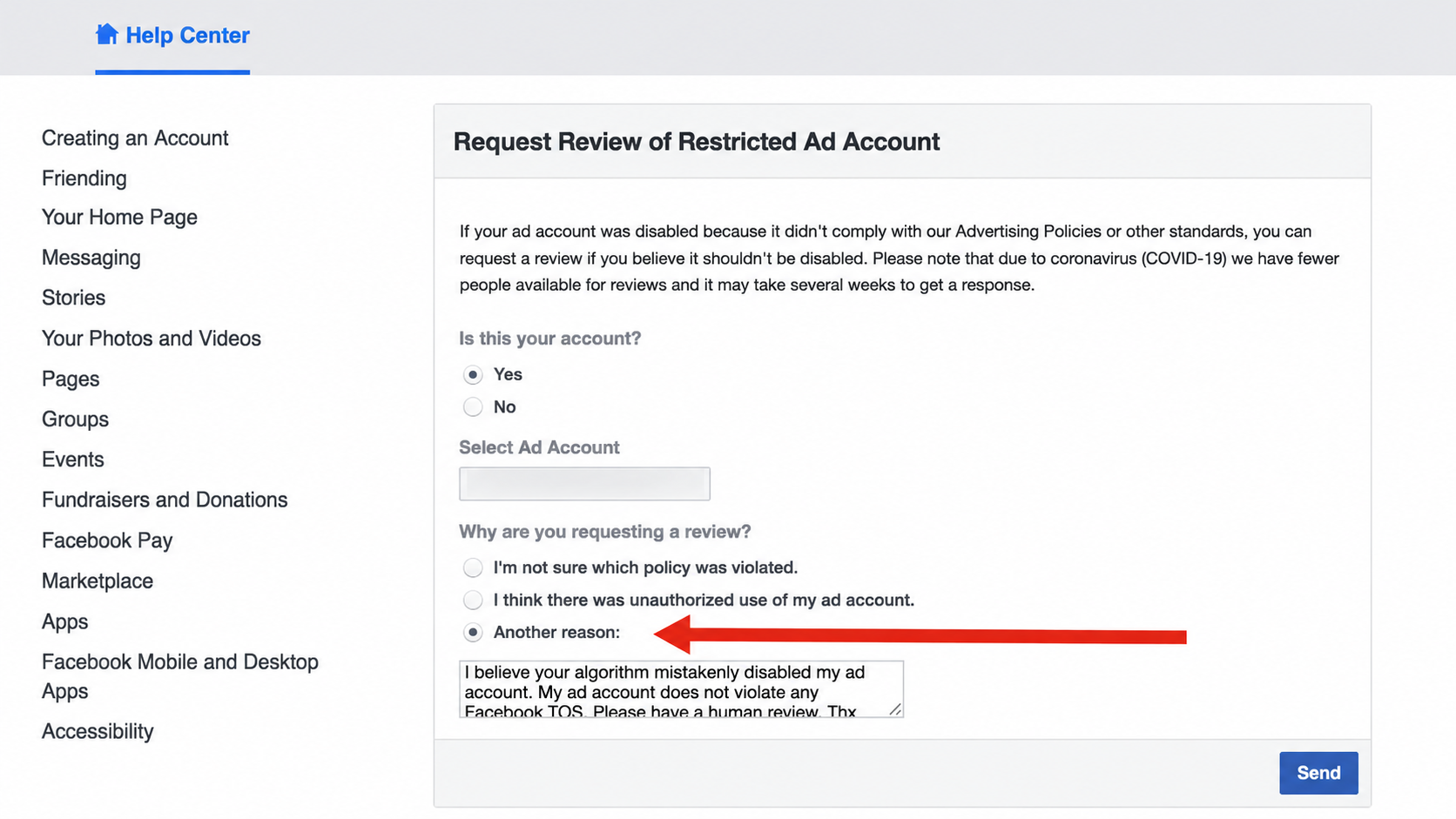
उदाहरण अपील:
कृपया इस विज्ञापन खाते के प्रतिबंध की समीक्षा करें। हमने विज्ञापनों, पेज और लैंडिंग पेज की जाँच की है। यदि कोई भी तत्व नीतियों का उल्लंघन करता है, तो हम मेटा विज्ञापन नियमों के अनुसार उसे सुधारने के लिए तैयार हैं। कृपया सटीक समस्या निर्दिष्ट करें।
चरण 6: यदि आपका खाता हैक हो गया था
अपील से शुरुआत न करें। पहले पहुंच बहाल करें:
- आधिकारिक हैक किए गए खाते की रिकवरी पेज का उपयोग करें
- किसी विश्वसनीय डिवाइस से लॉग इन करें
- ईमेल या फोन एक्सेस पुनर्स्थापित करें
- सक्रिय सत्रों की जाँच करें
- पासवर्ड बदलें
- दो-कारक प्रमाणीकरण सक्षम करें
- अज्ञात एडमिन और ऐप्स हटाएँ
चरण 7: अपील अस्वीकार क्यों हो जाती हैं
सामान्य कारण:
- नाम का दस्तावेज़ों से मेल न खाना
- नकली या अधूरी प्रोफ़ाइल
- बार-बार नीति उल्लंघन
- भ्रामक विज्ञापन या लैंडिंग पेज
- कई असंगत पुनर्प्राप्ति प्रयास
- संदिग्ध डिवाइस/स्थान परिवर्तन
- पहचान सत्यापन का अभाव
मेटा केवल एक कारक नहीं, बल्कि समग्र विश्वास का मूल्यांकन करता है।
चरण 8: क्या न करें
- कई नए खाते न बनाएं
- स्पैम अपील न करें
- बार-बार आईपी/डिवाइस न बदलें
- नकली दस्तावेज़ों का उपयोग न करें
- प्रतिबंधों को बायपास न करें
- ब्लॉक किए गए विज्ञापन क्रिएटिव्स का पुन: उपयोग न करें
- सुरक्षा की अनदेखी न करें
चरण 9: भविष्य में प्रतिबंधों से कैसे बचें
व्यक्तिगत प्रोफ़ाइल
वास्तविक पहचान संकेत बनाए रखें: तस्वीरें, स्थिर लॉगिन डिवाइस, सत्यापित ईमेल/फ़ोन, 2FA सक्षम।
विज्ञापन खाते
पूरे फ़नल की जाँच करें: विज्ञापन → लैंडिंग पेज → उत्पाद → भुगतान अनुपालन।
टीम संरचना
जोखिम कम करने के लिए बिजनेस मैनेजर में भूमिका पृथक्करण का उपयोग करें।
अंतिम चेकलिस्ट
- प्रतिबंध का प्रकार पहचानें
- Meta सूचनाएँ जांचें
- भरोसेमंद डिवाइस का उपयोग करें
- यदि हैक हो गया हो तो खाते को सुरक्षित करें
- यदि उपलब्ध हो तो अपील जमा करें
- खाते की गुणवत्ता की समीक्षा करें (विज्ञापन)
- नए खाते बनाने से बचें
- पुनः लॉन्च करने से पहले मूल कारण ठीक करें
- लॉगिन और भूमिकाएँ सुरक्षित करें
- दोहराए जाने वाले उल्लंघनों को रोकें
निष्कर्ष
2026 में फेसबुक अकाउंट को रिकवर करना किसी तरकीब के बारे में नहीं है — यह प्रतिबंध की सही पहचान करने, मेटा के आधिकारिक प्रक्रिया का पालन करने, और अंतर्निहित समस्या को ठीक करने के बारे में है।
यदि विज्ञापन खाता अवरुद्ध है, तो प्रोफ़ाइल फिर से बनाने के बजाय नीति अनुपालन और संपत्ति समीक्षा पर ध्यान केंद्रित करें। इससे पुनर्प्राप्ति की संभावना काफी बढ़ जाती है और बार-बार प्रतिबंध लगने का जोखिम कम हो जाता है।