
Meta Pixel in 2026: How to Track Facebook Ads, Optimize Campaigns, and Build Better Audiences
Meta Pixel is still one of the core tools for running Facebook and Instagram ads. But in 2026, it should not be treated as a simple “install once and forget” tracking code.
Browser restrictions, privacy updates, ad blockers, cookie consent rules, and server-side tracking have changed the way conversion tracking works. A basic pixel can still collect useful website activity, but strong advertisers now build a full tracking system around it.
This guide explains what Meta Pixel does, how to install and configure it, which events matter most, how to use the data in campaigns, and why combining Pixel with Conversions API is now a practical standard for better Meta Ads performance.
What Meta Pixel Actually Does
Meta Pixel is a small JavaScript code placed on your website. Its main job is to send signals to Meta when visitors interact with your pages.
For example, it can show that someone:
visited a landing page, viewed a product, added an item to cart, started checkout, submitted a form, registered, or completed a purchase.
This data helps Meta understand what happens after someone clicks or views an ad. Without it, you may see clicks and traffic, but you will not clearly understand whether ads are generating valuable actions.
For beginners, the easiest way to understand Pixel is this:
Meta Ads bring users to your website. Meta Pixel tells the ad system what these users did after arriving.
That feedback loop is what allows Meta to optimize campaigns for leads, purchases, registrations, or other important actions.
Why Meta Pixel Still Matters in 2026
Some marketers think Pixel is outdated because tracking has become harder. That is not fully correct.
Meta Pixel is still useful because it gives advertisers website-level behavioral data. It helps with three important tasks:
First, it measures conversions. You can see which campaigns, ad sets, and creatives are connected with real business actions.
Second, it improves optimization. Meta can use conversion signals to find people who are more likely to perform the same action.
Third, it builds audiences. You can create remarketing segments based on website behavior, such as product viewers, cart abandoners, blog readers, or visitors of a specific landing page.
The important change is this: in 2026, Pixel should usually work together with server-side tracking, especially Meta Conversions API. Pixel alone may miss some events because it depends on the browser.
Before Installation: Create a Tracking Plan
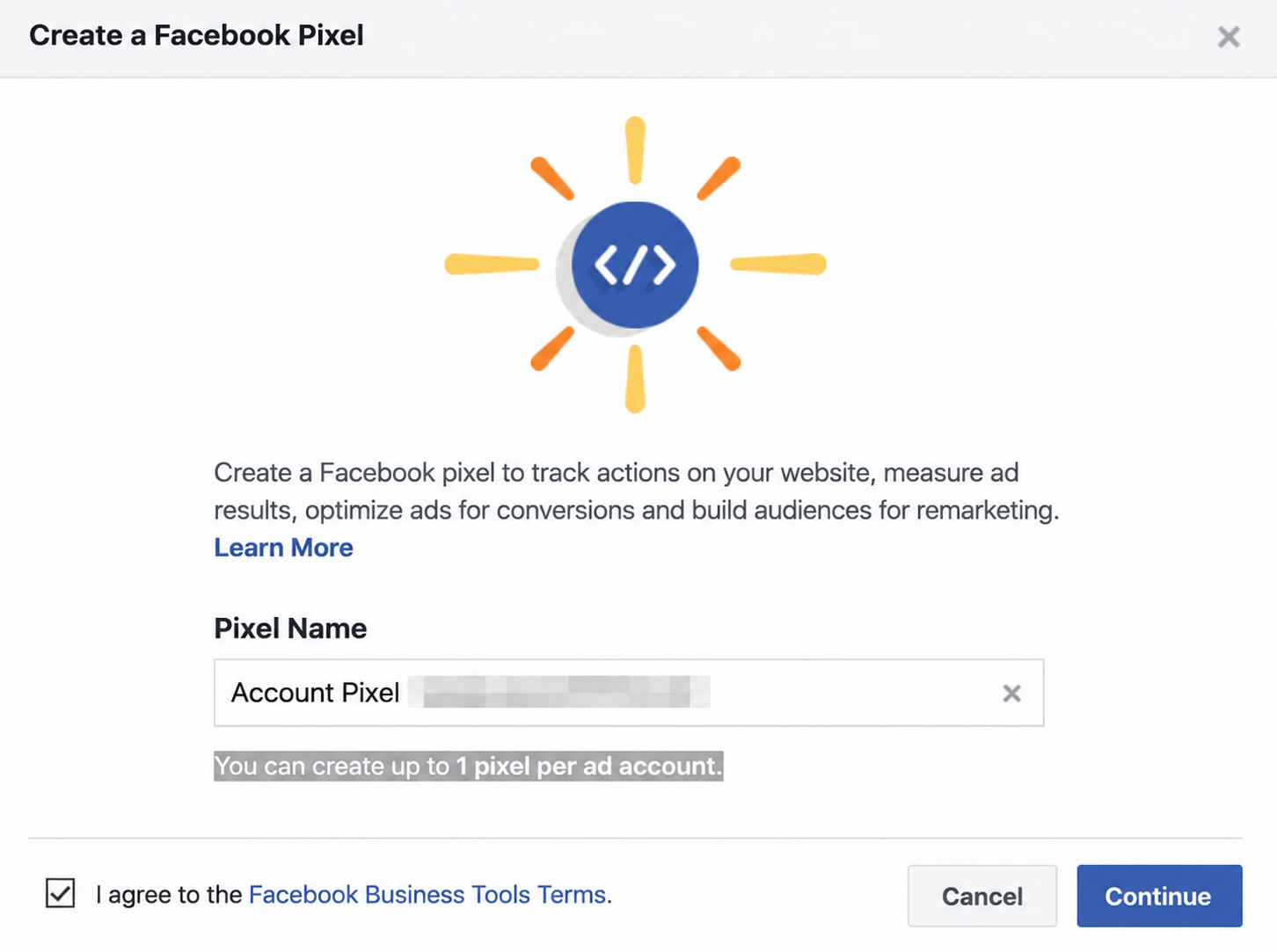
Many tracking problems begin before the code is even installed. Businesses often add Pixel without deciding what they actually want to measure.
A better approach is to create a simple tracking plan first.
Start with your business goal. An ecommerce store usually cares about product views, add-to-cart actions, checkout starts, and purchases. A lead generation website usually cares about form submissions, calls, booked consultations, and registrations. A blog or content website may care about article views, newsletter signups, and clicks to important pages.
Then divide events into three levels:
Micro-events are early signals. These include page views, scroll depth, button clicks, or viewing a product page.
Mid-funnel events show stronger interest. Examples include adding to cart, clicking a contact button, starting checkout, or opening a lead form.
Core conversions are the actions that directly matter for the business. These include purchases, qualified leads, bookings, paid subscriptions, and completed registrations.
This structure makes your setup cleaner. You do not need to track every tiny action from day one. You need to track the actions that help Meta understand user intent.
How to Install Meta Pixel
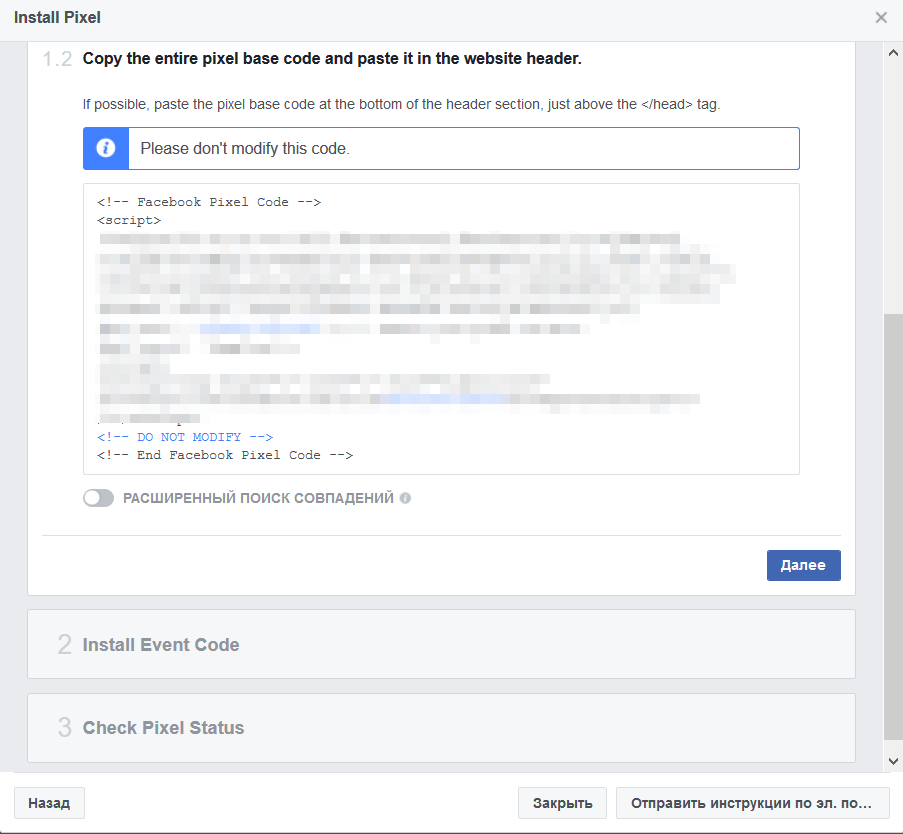
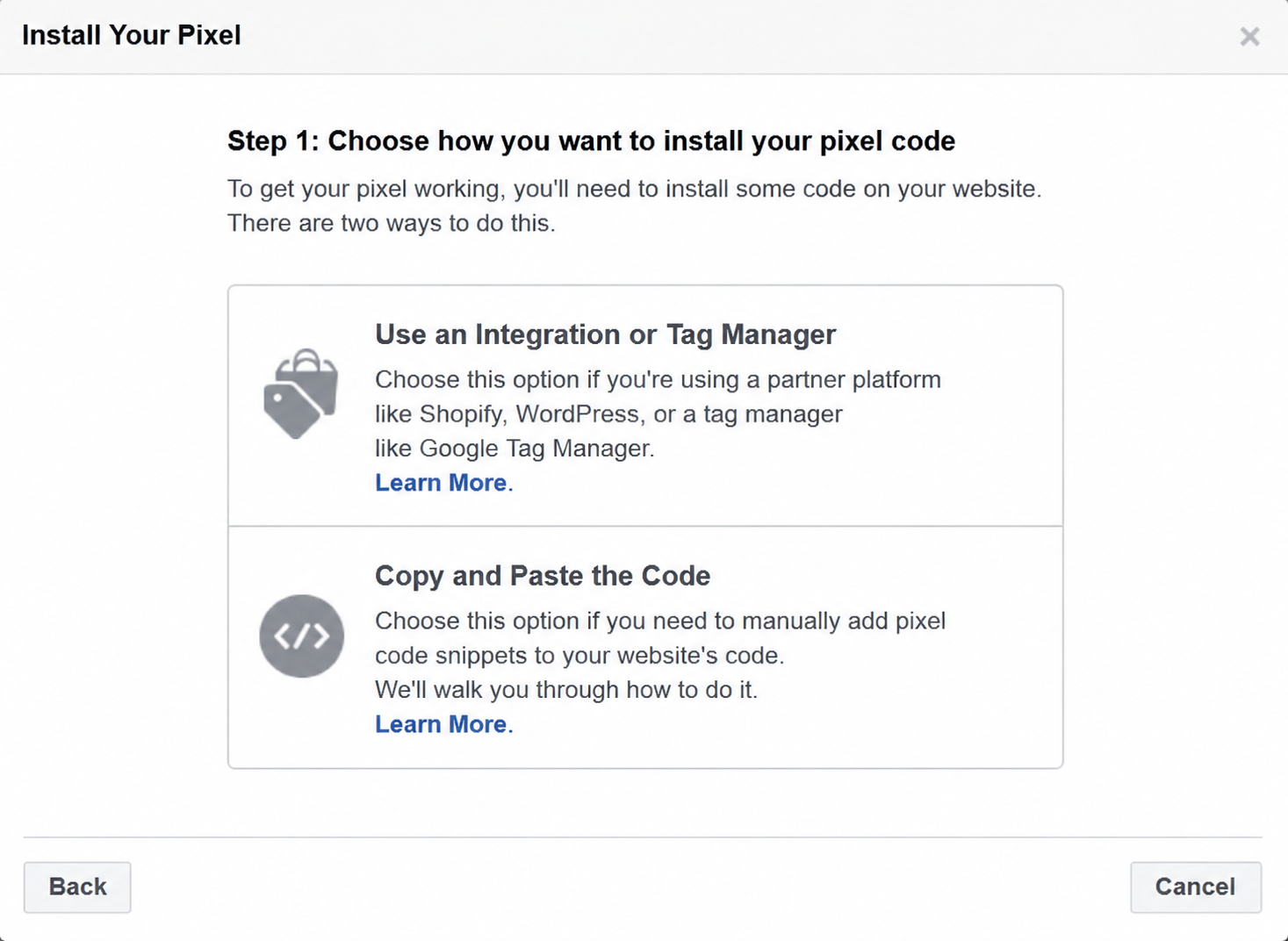
There are several ways to install Meta Pixel. The best option depends on your website platform and technical access.
Partner Integration
This is usually the simplest method for Shopify, WooCommerce, Wix, WordPress, and other popular platforms.
A partner integration can connect your website with Meta without manually editing code. It is a good option for beginners because it reduces the risk of placing the pixel in the wrong part of the website.
The practical benefit is speed. You can connect the pixel, select the right business asset, and start sending basic events faster.
Google Tag Manager
Google Tag Manager is useful when you want more control over when events fire.
For example, you can create triggers for specific buttons, thank-you pages, checkout steps, or form submissions. This is helpful for landing pages, affiliate websites, SaaS funnels, and websites with custom user journeys.
The main advantage is flexibility. The main risk is misconfiguration. A wrong trigger can send duplicate events or miss conversions completely.
Manual Code Installation
Manual installation gives the highest control but requires technical accuracy.
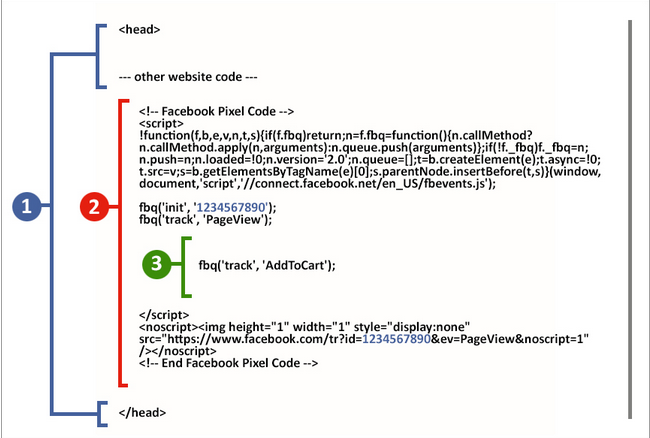
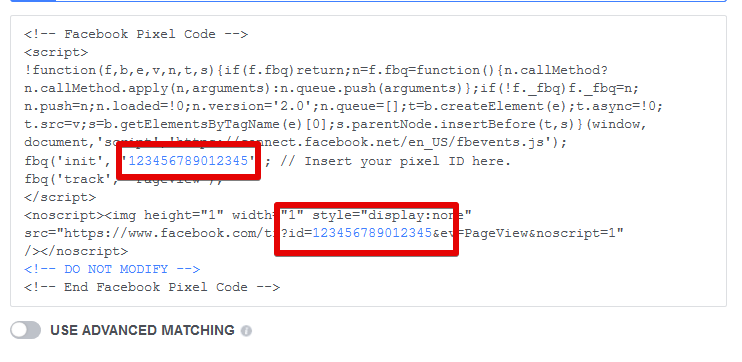
The base pixel code should be placed across the website, usually in the header section. Then additional event code can be added to specific pages or actions.
Manual installation is useful for custom websites, but it should always be tested carefully in Meta Events Manager.
Which Meta Pixel Events Should You Track
The best event setup depends on the website type. Still, most businesses can start with a few standard events.
For ecommerce, the most important events are usually:
PageView, ViewContent, AddToCart, InitiateCheckout, Purchase.
For lead generation, the key events are often:
PageView, ViewContent, Lead, Contact, CompleteRegistration.
For content or affiliate websites, useful events may include:
PageView, ViewContent, Search, Subscribe, Lead, or custom events for outbound clicks.
The goal is not to add as many events as possible. The goal is to send clean and meaningful signals.
For example, if every button click is marked as a Lead, Meta will optimize for low-quality actions. If only real form submissions are marked as Lead, campaign learning becomes more useful.
For Purchase events, always pass value and currency when possible. This helps measure return on ad spend and allows Meta to optimize not only for conversion volume, but also for conversion value.
Custom Events vs Standard Events
Standard events are predefined events recognized by Meta. They are usually the best choice when your action matches a common business goal.
Custom events are useful when your website has actions that do not fit standard categories.
For example, a SaaS company may want to track “DemoStarted” or “PricingCalculatorUsed.” An affiliate website may want to track “OfferClick.” An educational project may want to track “LessonCompleted.”
The practical rule is simple:
Use standard events whenever possible. Use custom events only when standard events do not describe the action accurately.
This keeps your tracking easier to analyze and reduces confusion in campaign optimization.
How to Use Pixel Data in Meta Ads
Installing Pixel is only the first step. The real value appears when you use the data in campaigns.
One of the most useful applications is retargeting. You can show ads to people who visited your website but did not convert. For example, an ecommerce store can create a campaign for users who added products to cart but did not purchase.
Another use case is audience segmentation. A person who read one blog article is not the same as a person who visited the pricing page three times. Pixel data helps separate cold traffic from warmer users.
Pixel also improves lookalike audiences. When Meta has enough high-quality conversion data, it can search for users who behave similarly to your existing customers or leads.
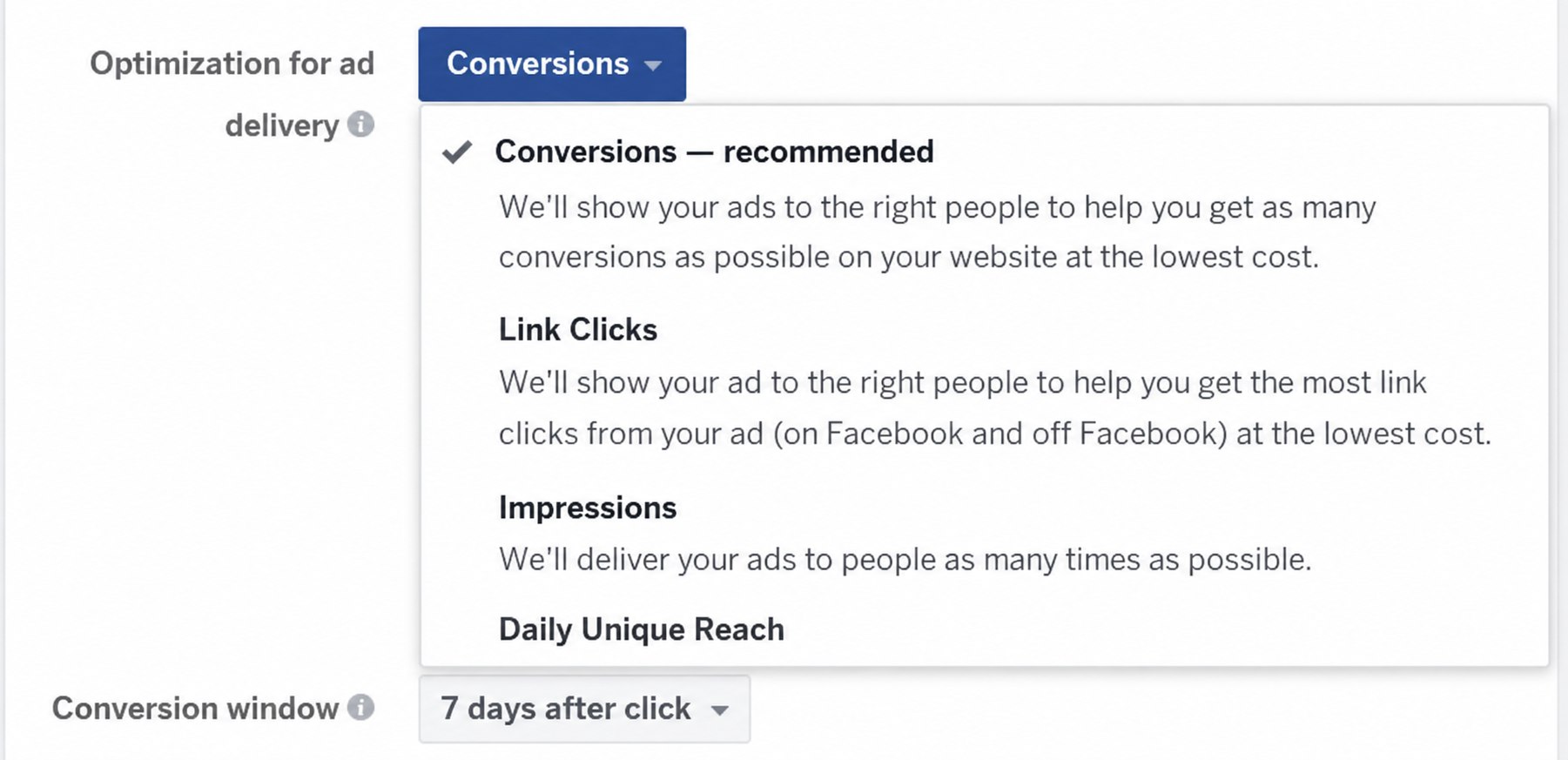
Finally, Pixel helps with campaign optimization. Instead of optimizing only for clicks or landing page views, you can optimize for real business outcomes such as leads, purchases, or completed registrations.
Why Conversions API Is Important in 2026
Meta Pixel works through the browser. That makes it vulnerable to browser limitations, cookie restrictions, ad blockers, and consent settings.
Conversions API sends events from the server, website platform, CRM, or another backend source directly to Meta. This can make tracking more stable and improve measurement.
The strongest setup is usually not “Pixel or CAPI.” It is “Pixel plus CAPI.”
When both send the same event, Meta can use deduplication to avoid counting it twice. For that, events should share consistent event names and event IDs.
For example, if a Purchase event is sent from the browser and the server, Meta needs to understand that both signals describe the same purchase. A correct deduplication setup helps keep reporting cleaner.
For 2026, a practical recommendation is:
Use Pixel for browser-side behavior and Conversions API for stronger server-side conversion signals.
This is especially important for ecommerce, lead generation, paid funnels, subscription products, and high-budget ad accounts.
How to Check If Meta Pixel Works Correctly
Never assume the pixel works just because it was installed.
After setup, test it.
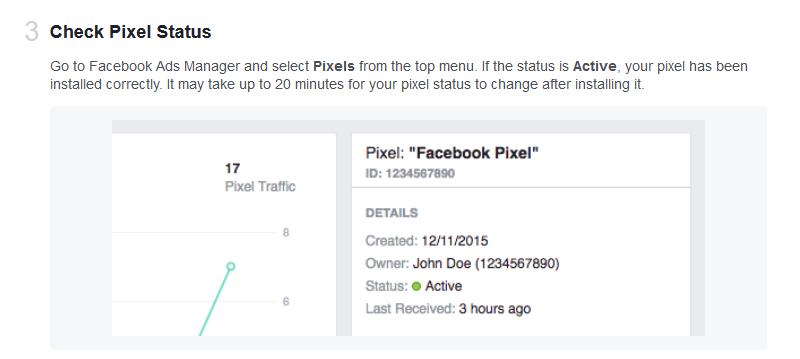
Use Meta Events Manager to check whether events are received. Visit your website, perform the target action, and confirm that the correct event appears. For ecommerce, test the full flow from product view to purchase. For lead generation, test the full form submission path.
Also check these common issues:
The pixel fires twice on the same page.
Purchase fires before payment is completed.
Lead fires when someone only clicks a button, not when the form is submitted.
Events are missing value or currency.
The wrong pixel is installed on the website.
The same event is sent from Pixel and CAPI without proper deduplication.
Events fire even when consent is not given in regions where consent is required.
Small tracking errors can create big campaign problems. Meta may optimize for the wrong action, report incorrect results, or build weak audiences.
Beginner-Friendly Setup Example
Imagine a simple online store.
A clean first setup could look like this:
PageView on all pages.
ViewContent on product pages.
AddToCart when a user adds a product to cart.
InitiateCheckout when checkout begins.
Purchase only after successful payment confirmation.
Then the advertiser can create:
a conversion campaign optimized for Purchase,
a retargeting audience of AddToCart users without Purchase,
a lookalike audience based on past purchasers,
and a campaign report that compares cost per purchase and purchase value.
This setup is simple, but it already creates a useful advertising system.
For a lead generation website, the same logic could be:
PageView on all pages.
ViewContent on service pages.
Lead only after a real form submission.
Contact when a user clicks a phone, email, or messenger contact option.
Then campaigns can optimize for Lead instead of traffic, and remarketing can focus on visitors who viewed key service pages but did not submit a form.
Practical Optimization Tips
Keep event names consistent. Do not create five different events for the same action.
Prioritize quality over quantity. A few clean conversion events are better than many noisy signals.
Use standard events when they fit the action.
Send value and currency for purchase events.
Test every important event before launching campaigns.
Review Events Manager regularly.
Connect Conversions API when conversion data matters.
Check event match quality and improve customer data parameters where appropriate.
Respect privacy and consent requirements in your target markets.
The best Meta Pixel setup is not the most complicated one. It is the one that sends accurate, useful, and business-relevant signals.
Conclusion
Meta Pixel remains an essential part of Facebook and Instagram advertising in 2026, but it works best as part of a wider tracking system.
A basic setup helps you measure website activity. A thoughtful event structure helps Meta understand user intent. Retargeting and lookalike audiences help you use that data for growth. Conversions API strengthens measurement when browser tracking is limited.
For example, an online store can use Pixel to track product views, cart actions, checkout starts, and purchases. Then it can run purchase-optimized campaigns, retarget cart abandoners, and build lookalike audiences from real buyers.
That is the real purpose of Meta Pixel: not just collecting data, but turning website behavior into better advertising decisions.